Simpler Taxes. Smarter Business.

Shadobooks Tax Compliance Software Built for Modern Businesses

Tax management becomes much easier when your transactions, tax calculations, filings, and reports are connected in one place. From VAT returns and corporate tax reports to e-invoices, e-way bills, and detailed tax reports, Shadobooks keeps your tax records organized and easy to access. Whether you operate in the UAE, Middle East, or other markets, the platform helps your finance team manage tax information efficiently while keeping your records ready for review.

Inventory Management
E-Invoice

Manage digital tax invoices

VAT Management

Track VAT and returns

Tax Reports

Get clear tax insights

E-Way Bill

Manage shipment details

Tax Compliance Softwaree

Key Features of Shadobooks Tax Compliance Software

accounting-and-finance

E-Invoice

coa-and-financial-reports

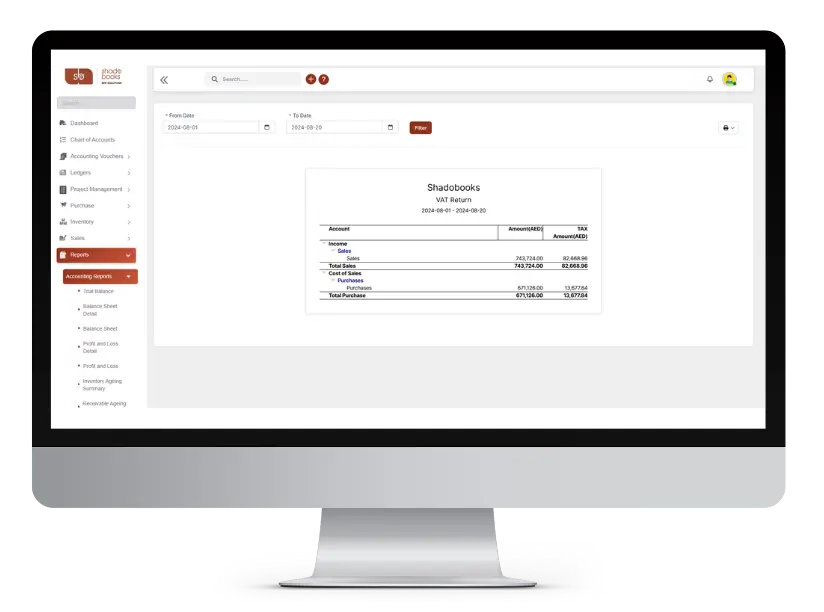
VAT Return

smart-invoice-management

Corporate Tax

crm-and-lead

VAT Report

inventory-and-warehouse

E-Way Bill

customer-and-vendor

Tax Settings

sales-and-purchase

GSTR Filing

advanced accounting and finance

E-Invoice Management

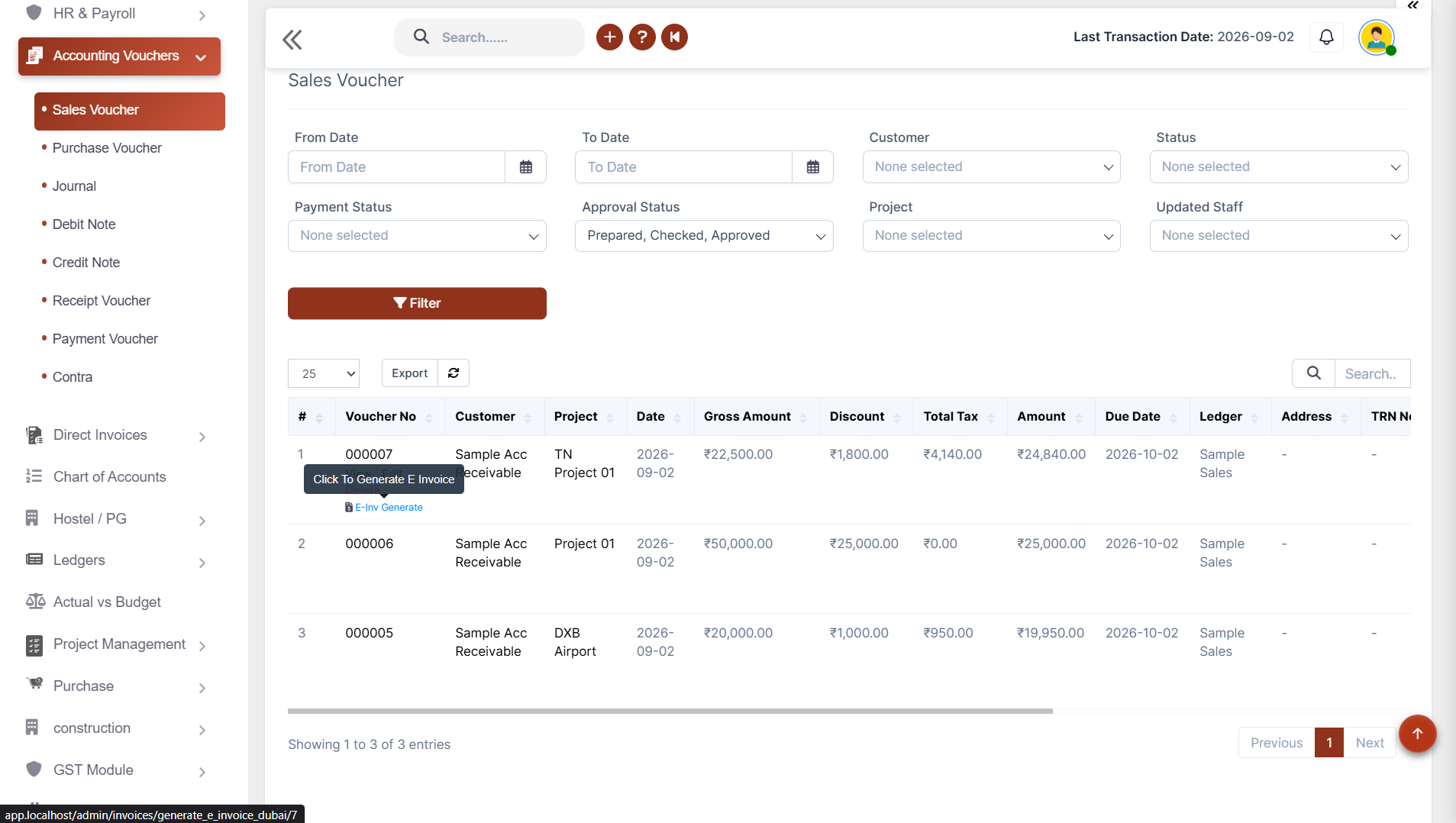
Generate e-invoices directly from your sales transactions, with automatic submission to the government portal and organized digital records.

✔ Generate e-invoices from sales invoices
✔ Reduce duplicate data entry
✔ Keep invoice records organized
✔ Also download e-invoice files for manual submission
✔ Simplify digital tax documentation

VAT Return Management

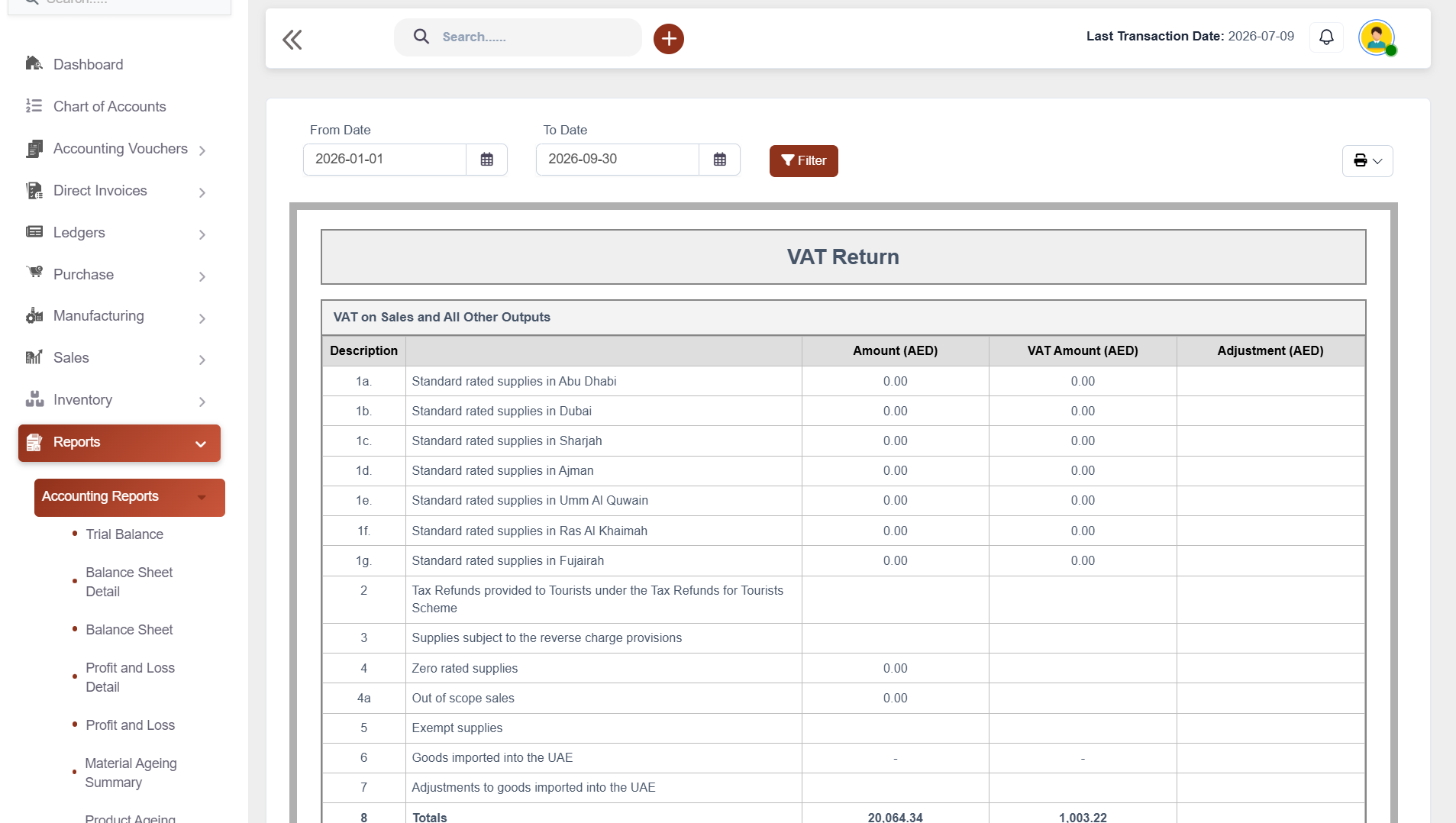
Manage VAT information from sales, purchases and refunds through one central system, making periodic tax review easier.

✔ Track VAT from sales transactions
✔ Track VAT from purchase and expense transactions
✔ Calculate net VAT due
✔ Manage refund requests
✔ Support profit margin scheme tracking
Coa-and-financial
smart invoice management

Corporate Tax Report

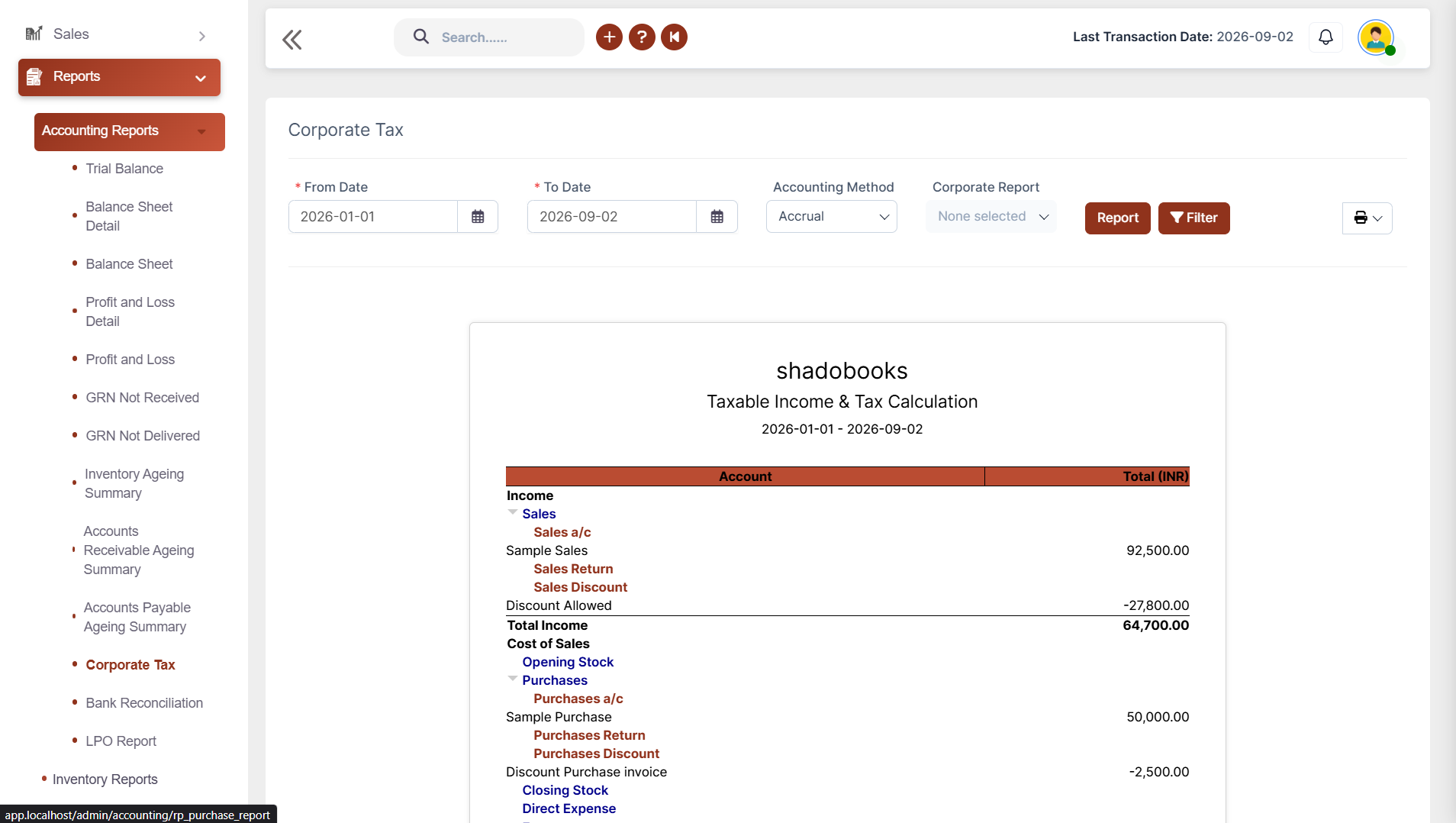
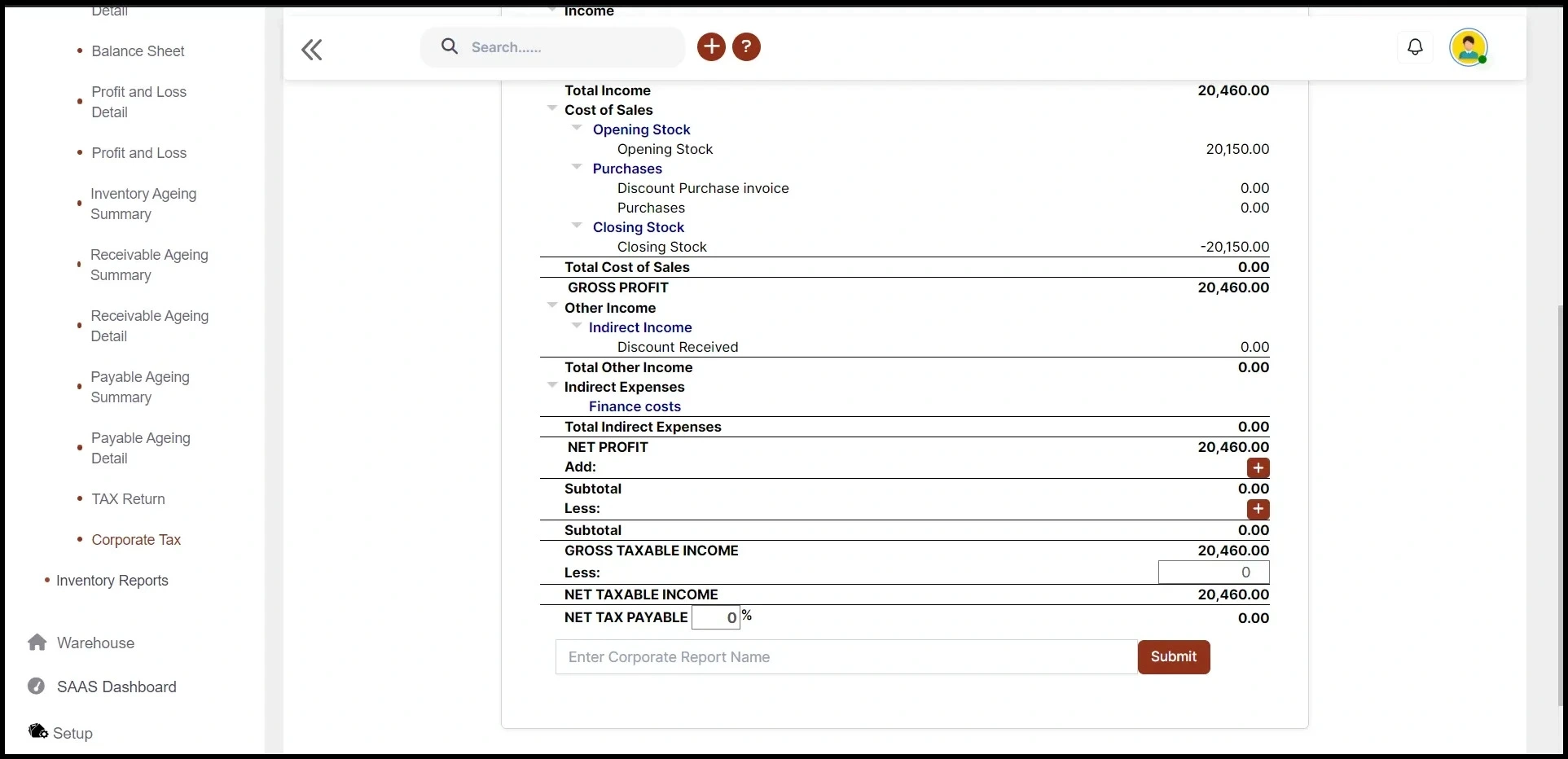
Get clear gross and net profit insights. Generate structured corporate tax reports using your financial transaction data.

✔ Select reporting periods
✔ View gross profit and net profit
✔ Review gross and net taxable income
✔ Check subtotal and net tax payable
✔ Keep tax information ready for financial review

VAT Detail Report

When you need to investigate a specific tax transaction, the VAT Detail Report gives you a complete financial trail.

✔ View transaction date and type
✔ Check account and transaction details
✔ Track transaction IDs
✔ Review debit and credit values
✔ View opening and closing balances
crm and lead management
inventory and multi warehouse

E-Way Bill Management

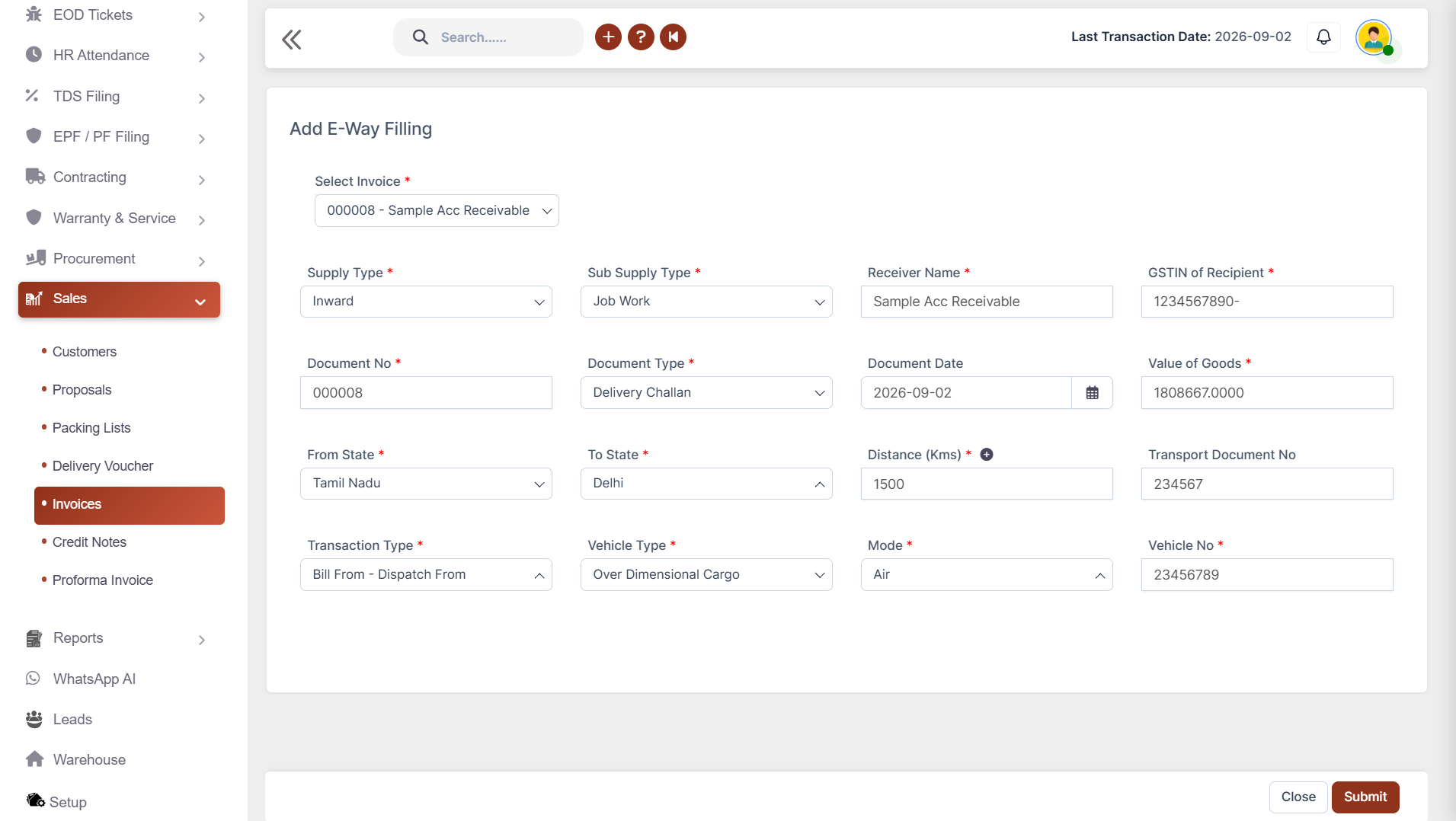
Make shipment documentation faster. Create e-way bill information directly from your invoice details and reduce repetitive entry.

✔ Select the relevant invoice
✔ Automatically bring invoice details into the e-way bill
✔ Manage supplier and recipient information
✔ Track document dates and validity
✔ Record transportation and vehicle details

Tax Settings & Compliance Support

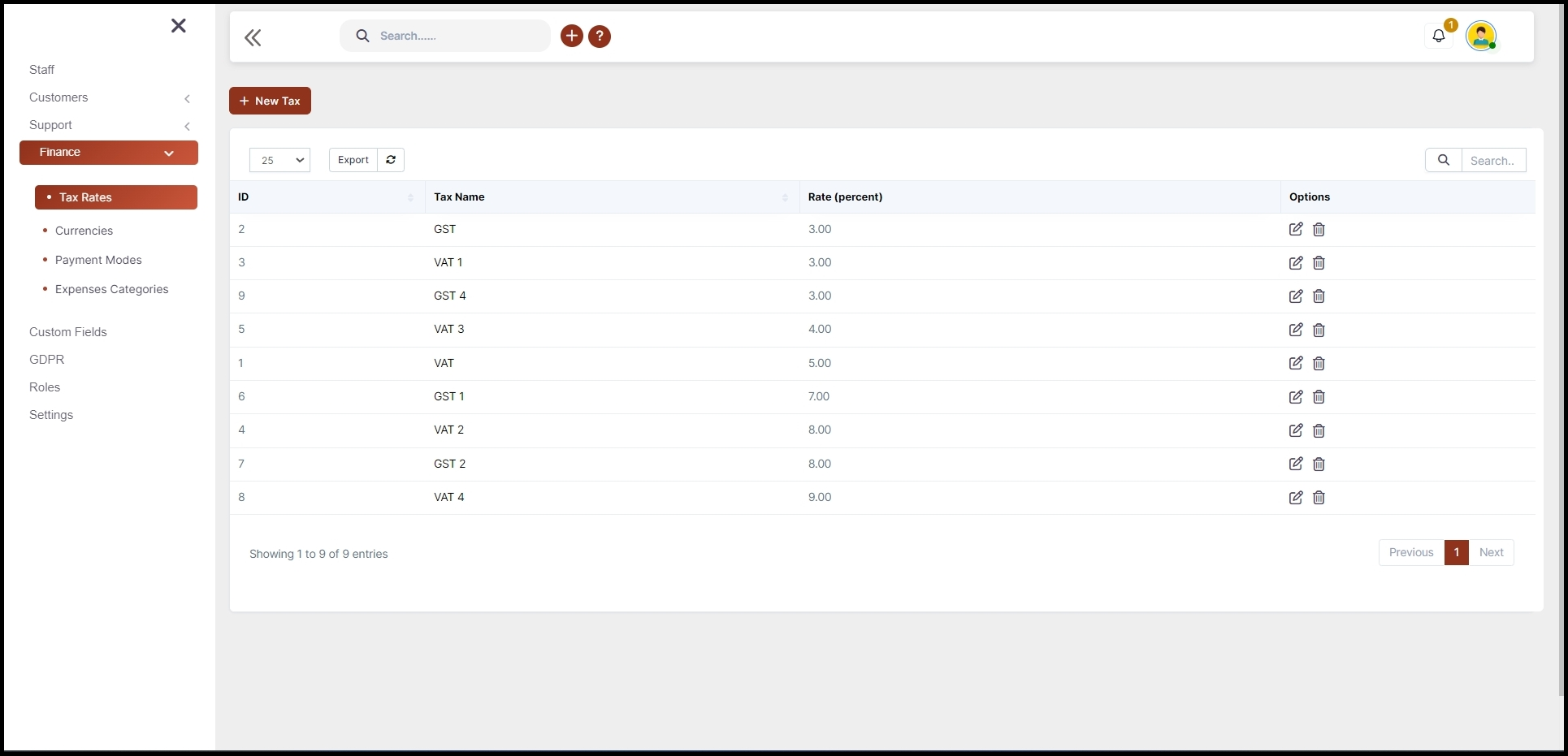
Configure your tax workflow. Set up tax-related options according to your business requirements and maintain consistent tax records.

✔ Configure tax-related settings
✔ Set applicable transaction limits where required
✔ Maintain sales and purchase tax information
✔ Support inventory and non-inventory transactions
✔ Keep tax records connected with accounting entries
Customer and vendor management
Sales and purchase management

GSTR Filing & Reports

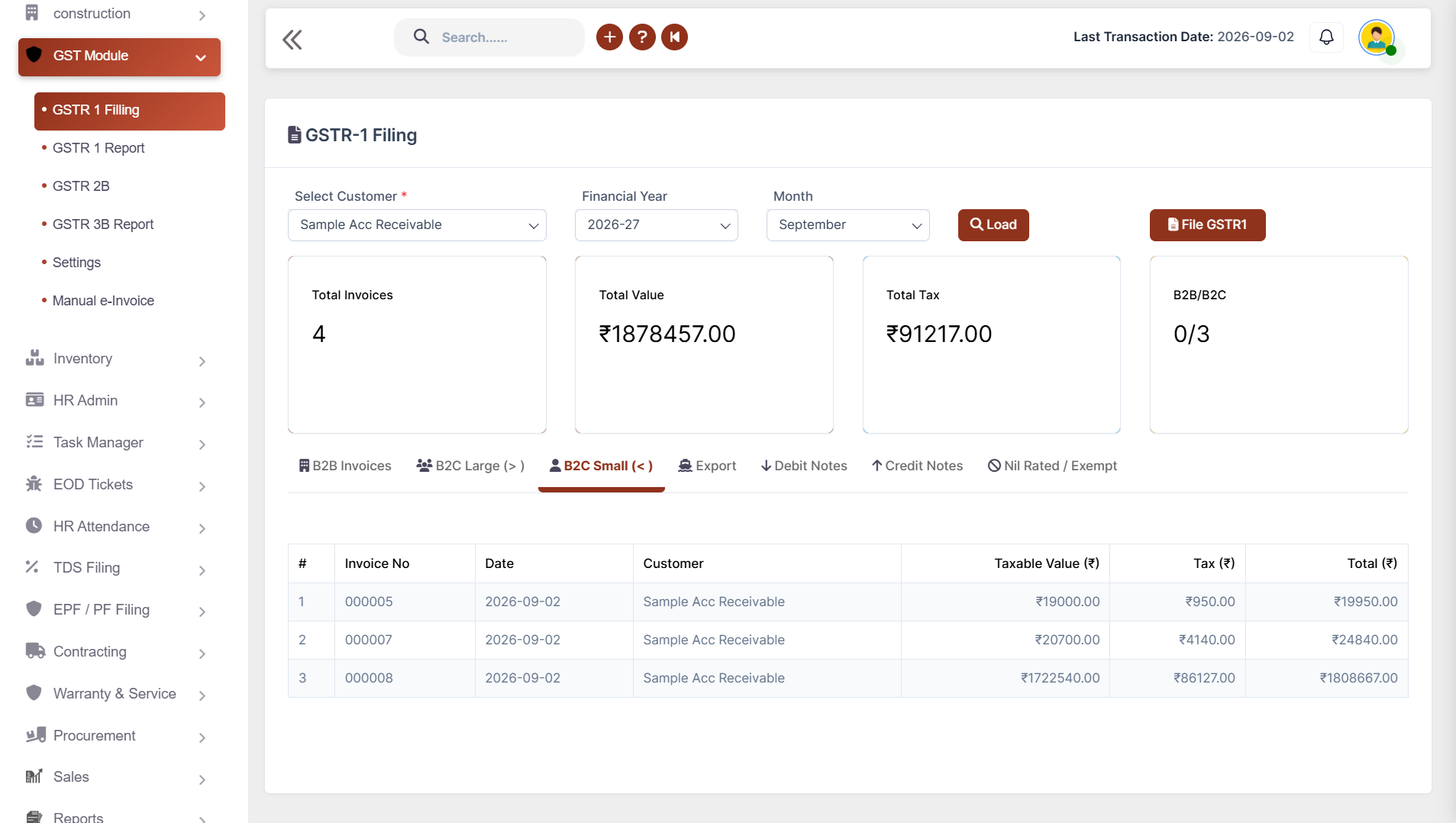
Review invoice and tax details, file returns through the government portal, and access your filed reports whenever needed.

✔ Review and file returns easily (GSTR 1 Filing)
✔ Filter filed returns year and month (GSTR 1 Reports)
✔ View uploaded tax reports easily (GSTR 2B & 3B)
✔ Download reports for sharing and records
Tax Compliance Software

Advanced Tax & Compliance

✔ Digital Tax Documentation
✔ Automated Data Flow
✔ Tax Transaction Tracking
✔ Period-Based Analysis
✔ PDF & Excel Export
✔ Accounting-Linked Tax Records

Benefits of Using Shadobooks Tax Compliance Software

Improve Tax Accuracy

Keep sales, purchases, expenses, and tax calculations organized to minimize errors and discrepancies.

Stay on Top of VAT

Get a clear view of VAT on sales, VAT on expenses, net VAT due, and refund requests for better financial control.

Track Tax Returns Easily

Keep submitted tax information organized with date-wise and transaction-wise reporting for easier monitoring and review.

Get Clear Tax & Financial Insights

Corporate tax and VAT reports provide visibility into profits, taxable income, tax payable, VAT due, and other important figures.

Export Reports for Sharing & Records

Download VAT and tax reports in PDF and Excel formats for internal review and sharing with accountants or management.

Support Businesses Across Global Markets

Shadobooks provides a flexible tax-management foundation for businesses operating across different regions.

Shadobooks Apps - Download Free from Google Play

Invoice Scanner
Task Manager
Shadobooks WorkTrack
Shadobooks AI
Shadobooks
Shadobooks ERP
Shado Expense Tracker
Shado Browser
Attendance Tracker
Shadobooks Apps

How to get Started with Shadobooks ERP Solutions

1

Create your
company

Sign up with your email address and create your Shadobooks account securely.

2

Verify your
email

Confirm your email address to activate your account to ensure secure access.

3

Create your
company

Set up your company profile, business details, logo, and personalized subdomain.

4

Configure
essentials

Configure business-specific settings to match your operational requirements.

5

Explore reports and insights

View your accounting, financial, operational, and Tax reports in one place.

6

Get instant
support

Our support team is available 24/7 to assist you whenever you need help.

Frequently Asked Questions

Every sale invoice in Shadobooks includes a built-in "E-Invoice Generate" option. When clicked, the system directly uploads the invoice to the government portal without any manual steps. Alternatively, you can download the e-invoice from Shadobooks and upload it manually to the portal. This makes generating e-invoices faster and far less prone to human error.

Shadobooks makes tax audits and financial reviews stress-free by keeping all your tax-related data organized, traceable, and easily accessible. Key features like the VAT Detail Report provide a complete transaction trail, while the Corporate Tax Report gives clear visibility into profits and tax liabilities.With everything connected to your accounting entries, you can quickly answer audit queries without digging through piles of paperwork.

The VAT return module in Shadobooks captures all purchase and sale entry taxes regardless of whether your business operates with or without inventory. VAT on sales, VAT on expenses, net VAT due, refund requests, and profit margin scheme details are all reflected here with date-wise filtering and downloadable reports.

The Corporate Tax Report gives a complete breakdown of your gross profit, net profit, gross taxable income, net taxable income, subtotal, and net tax payable. You select the date range and report type, review the figures, enter a report name, and submit — giving you clear financial insights without any manual number-crunching.

The VAT Detail Report shows a full transaction-level view including date, transaction type, account, transaction details, transaction ID, debit, credit, running balance, opening balance, total debit and credit, and closing balance. It can be filtered by date and account type and downloaded in PDF or Excel.

Yes. Under the Settings section, you can define and adjust the B2C large and small amount limits to match your specific business requirements and compliance thresholds. This gives you the flexibility to ensure your GST categorization is always accurate.

Shadobooks is specifically designed to reduce manual tax work. From auto-populating e-way bill fields and one-click GST filing to automated VAT tracking and downloadable reports, the platform eliminates the repetitive, time-consuming tasks that typically slow down finance teams — so you can focus on running the business, not just complying with it.

Yes — that's one of the most time-saving features in Shadobooks. When you select an invoice for e-way bill generation, all the key fields — including GSTIN supplier, GSTIN recipient, place of dispatch, place of delivery, document date, transaction type, value of goods, distance, mode of vehicle, and reason for transportation — are automatically filled in. You don't have to re-enter data you've already provided.

Decoration

Shadobooks ERP Solutions

The Financial Shadow of your Company

Why Businesses Trust Shadobooks Business
Management Software

Ready to Simplify Your Business? Try it today!

Shadobooks

FTA Approved

Shadobooks

ISO 27001 Certified

Shadobooks

GRA Recognized

Shadobooks

Global Indian CEO Award

Shadobooks

24/7 Customer Support

Shadobooks

10M+ Invoices Generated

Get 30 Days Free Trial

Your information is safe and secure with us.