Plan Smart. Execute Better.

Deliver Every Project on Time with Shadobooks Project Management Software

Shadobooks Project Management software simplifies every stage of a project - from planning and budgeting to task assignment and performance tracking. Whether managing a single project or handling an entire portfolio across multiple departments, everything is connected to help your team work more efficiently.

Project Management Software
Task Management

Create, assign & track tasks

Project Planning

Manage timelines & milestones

Budget Tracking

Control project costs & variations

Project Reports

Analyze performance & progress

Project Management Software

Key Features of Shadobooks Project Management Software

item-management

Setup
& Category

planning-and-creation

Planning
& Creation

budget-and-variation

Budget
& Variation

task-management-collabration

Task Management

progress-and-performance

Progress

attanence-and-resource

Attendance

notification-and-workflow

Notifications

setup and category

Project Setup & Category Management

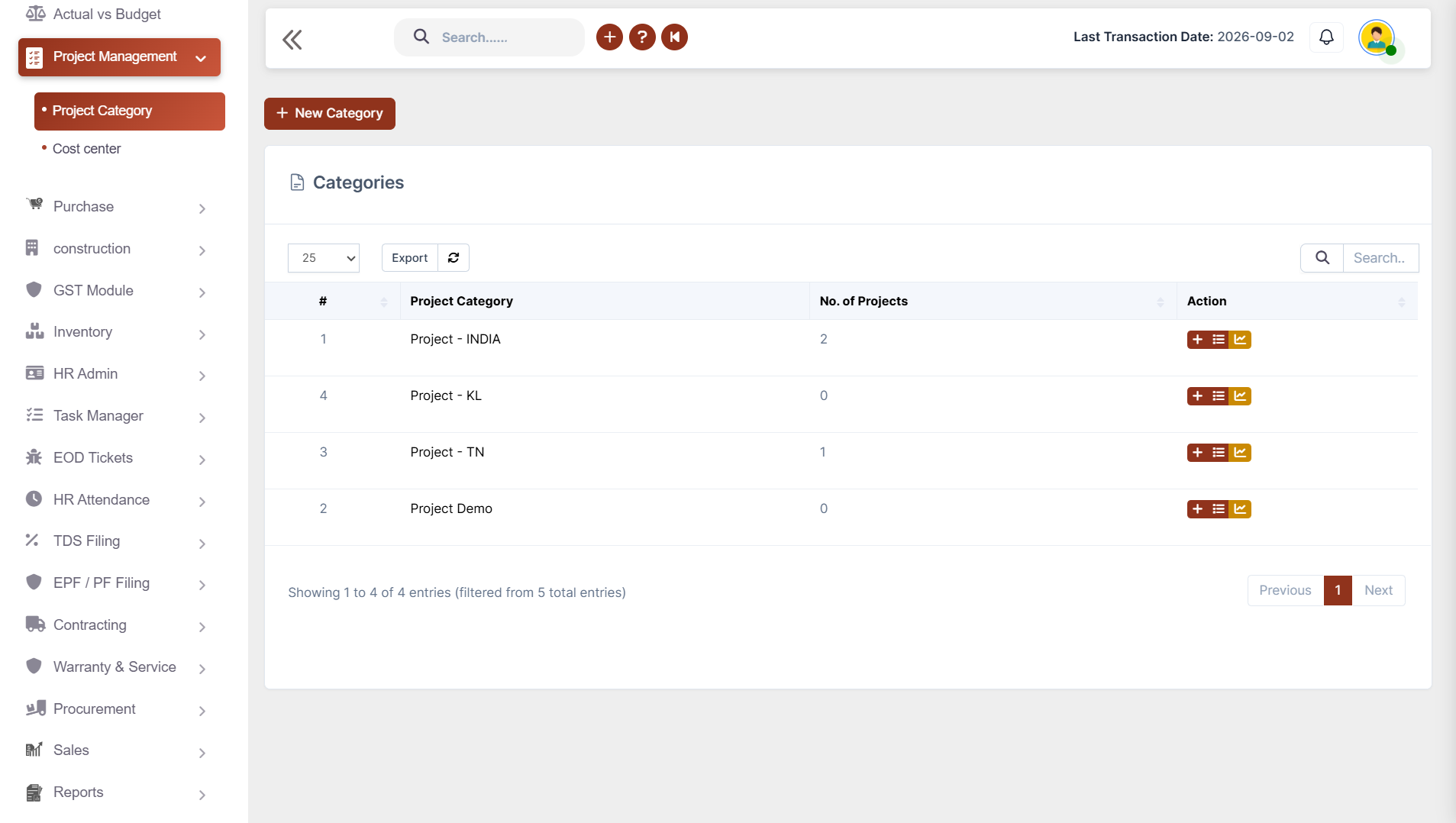
Organise every project the smart way. Managing hundreds of projects becomes much easier when they are properly organized.

✔ Create project categories by region or business
✔ Assign team members to projects
✔ Organize projects for better tracking and management
✔ Filter projects category-wise for faster navigation
✔ Improve project classification with structured groupings

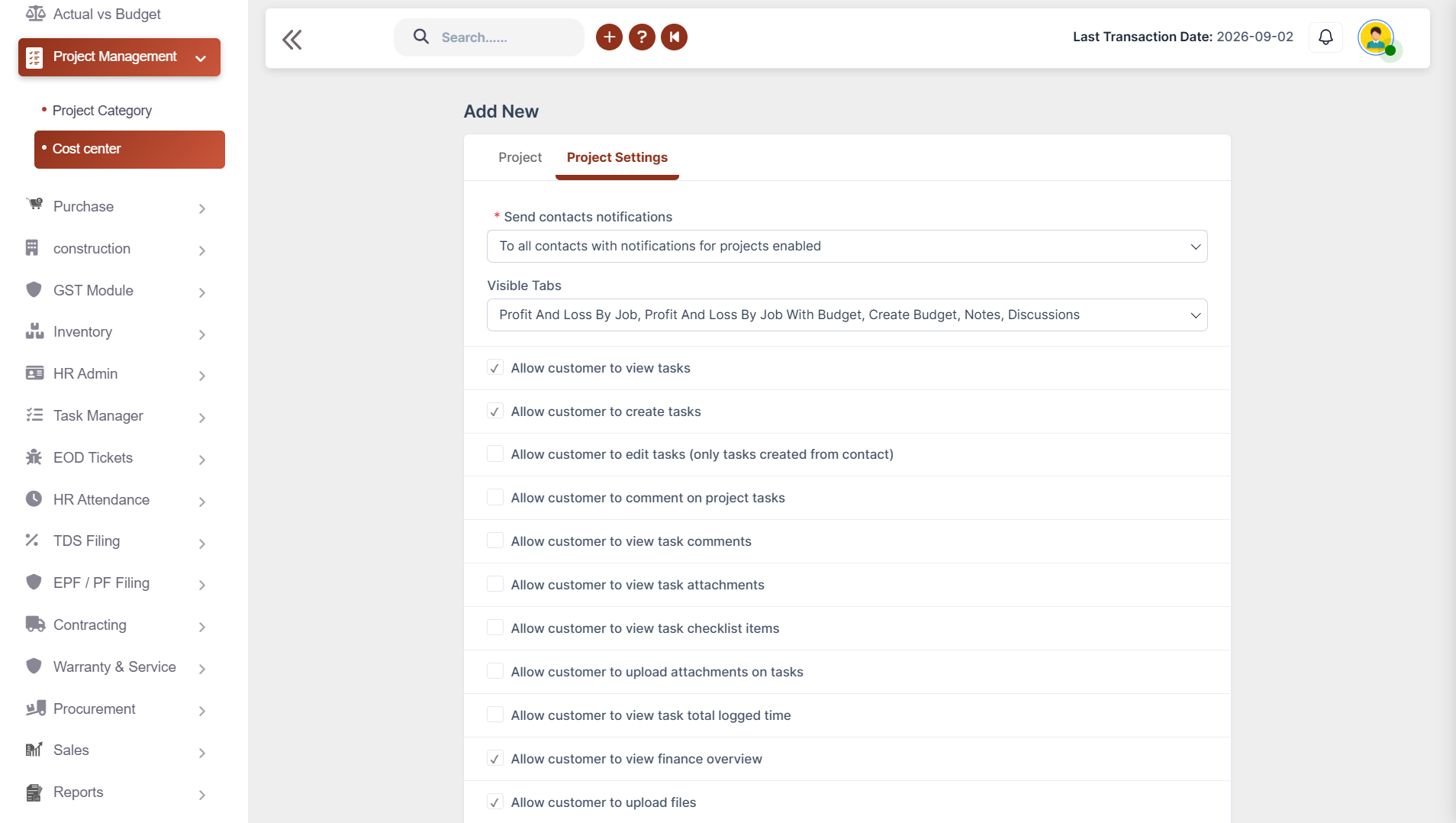
Project Planning & Creation

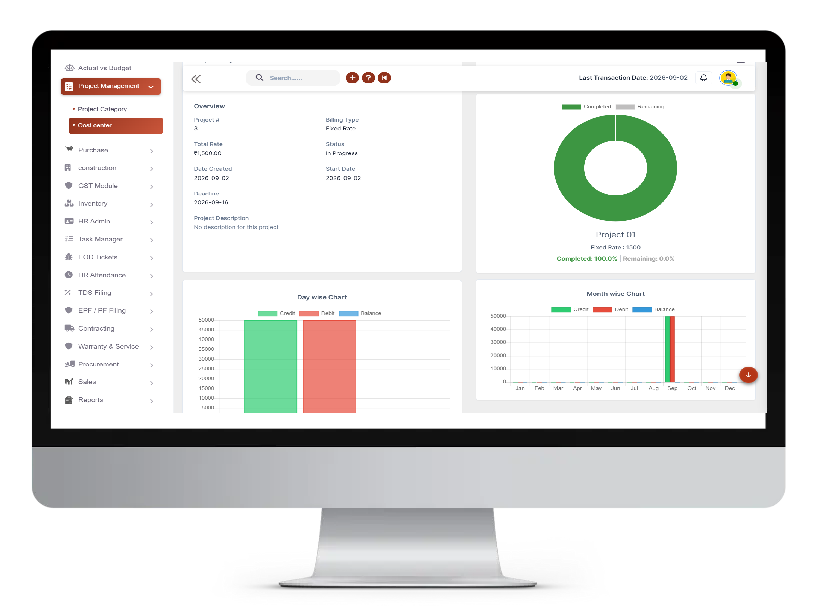
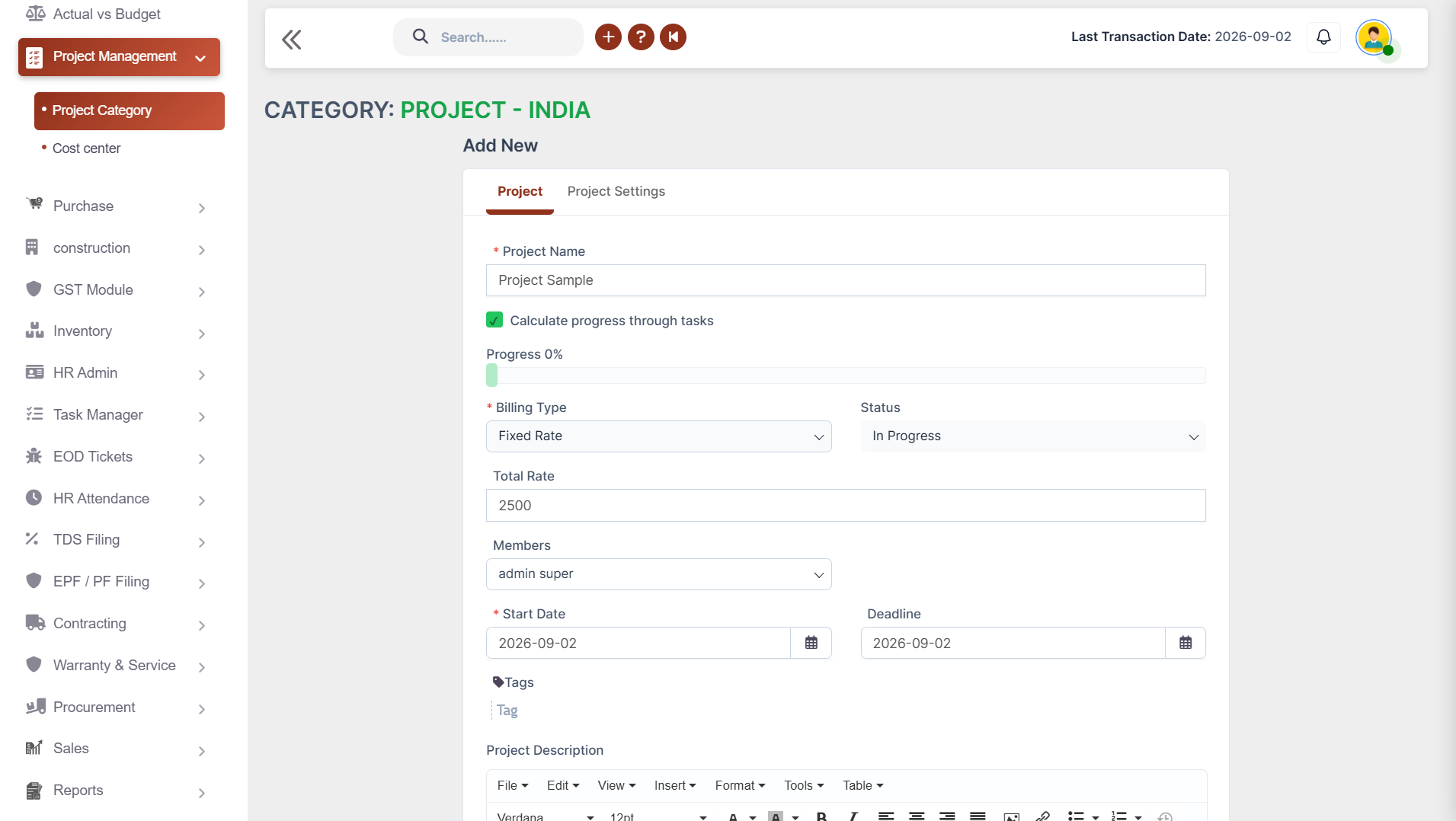
Build every project on a strong foundation with a centralized dashboard that keeps everyone informed and aligned throughout the project lifecycle.

✔ Create projects with start date, and deadline
✔ Add detailed project descriptions
✔ Assign team members to projects
✔ Monitor project timelines at every stage
✔ Manage multiple projects simultaneously
project planing and creation
budget and variation

Budget & Variation Management

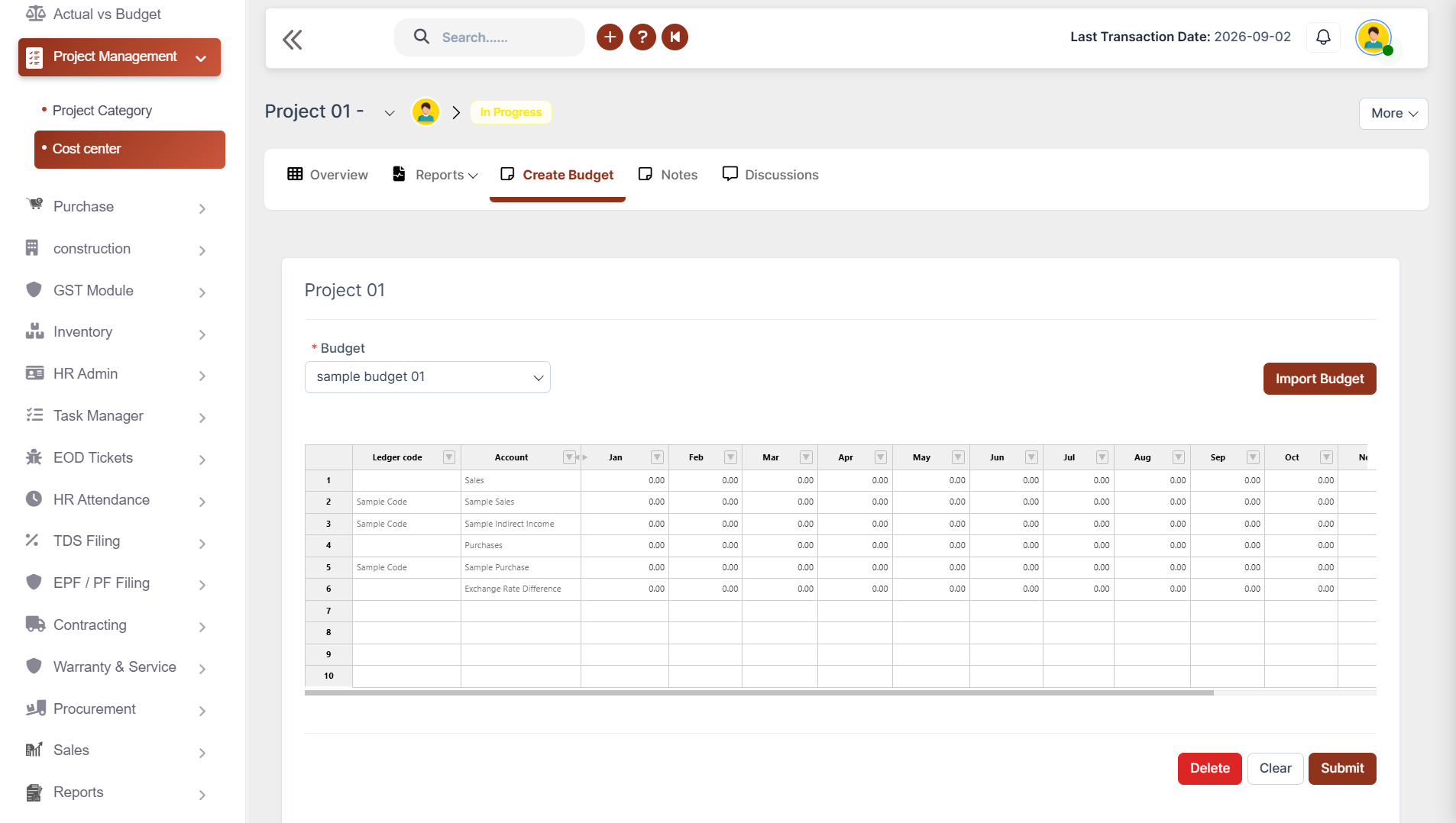
Keep every project financially on track. Control project budgets without spreadsheets.

✔ Create project budgets by importing Excel files
✔ Link budgets with accounting ledgers
✔ Define budget periods with start and end dates
✔ Record budget variations whenever changes occur
✔ Compare original and revised budgets

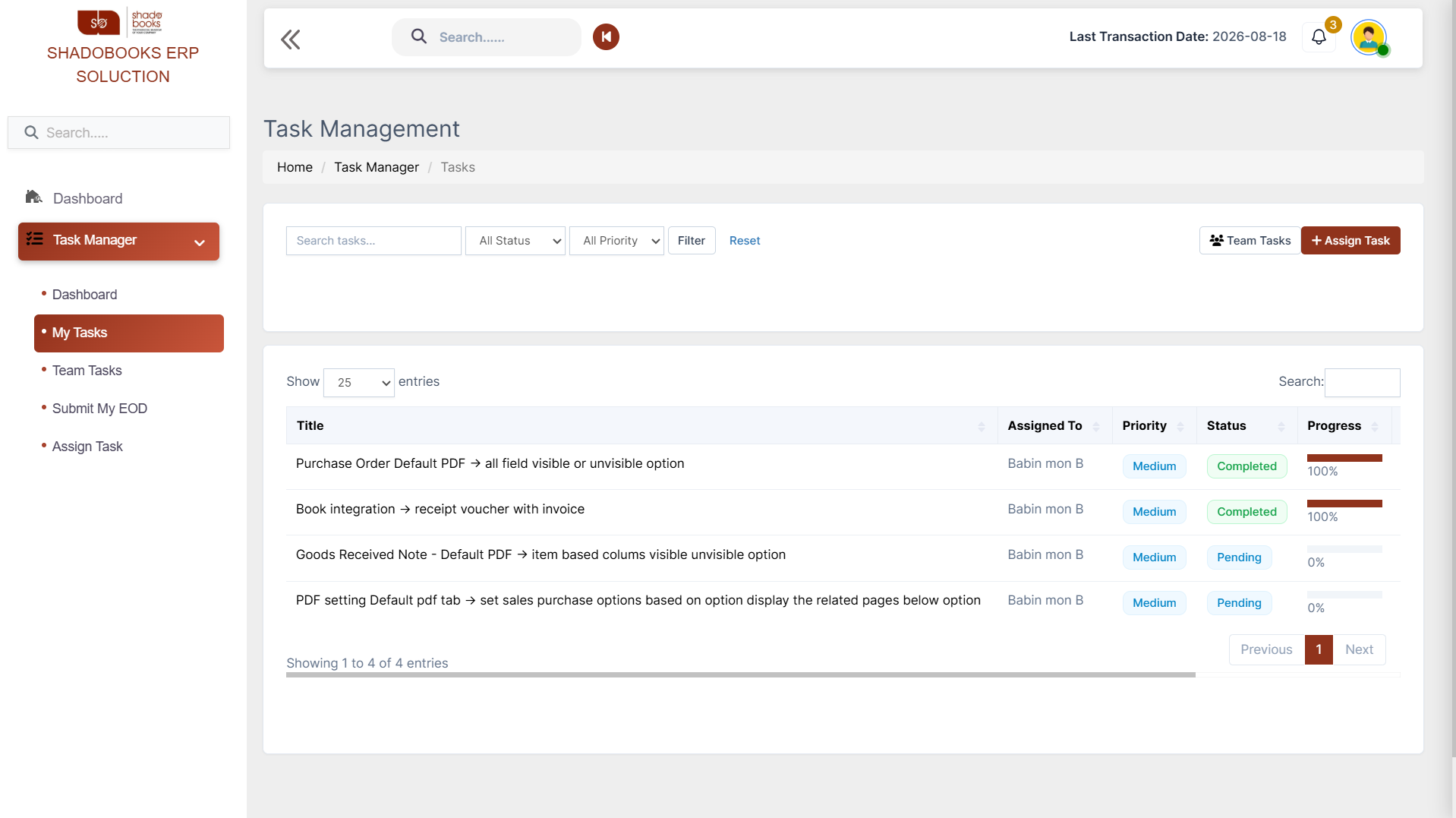
Task Management & Collaboration

Tasks are the building blocks of every project. Assign, track and complete every task efficiently.

✔ Create tasks with priority, hourly rate, and repeat schedules
✔ Assign tasks to project members
✔ Add checklists and task descriptions
✔ Upload supporting documents and files
✔ Send reminders for pending, overdue, and completed tasks
Task Management and collabration
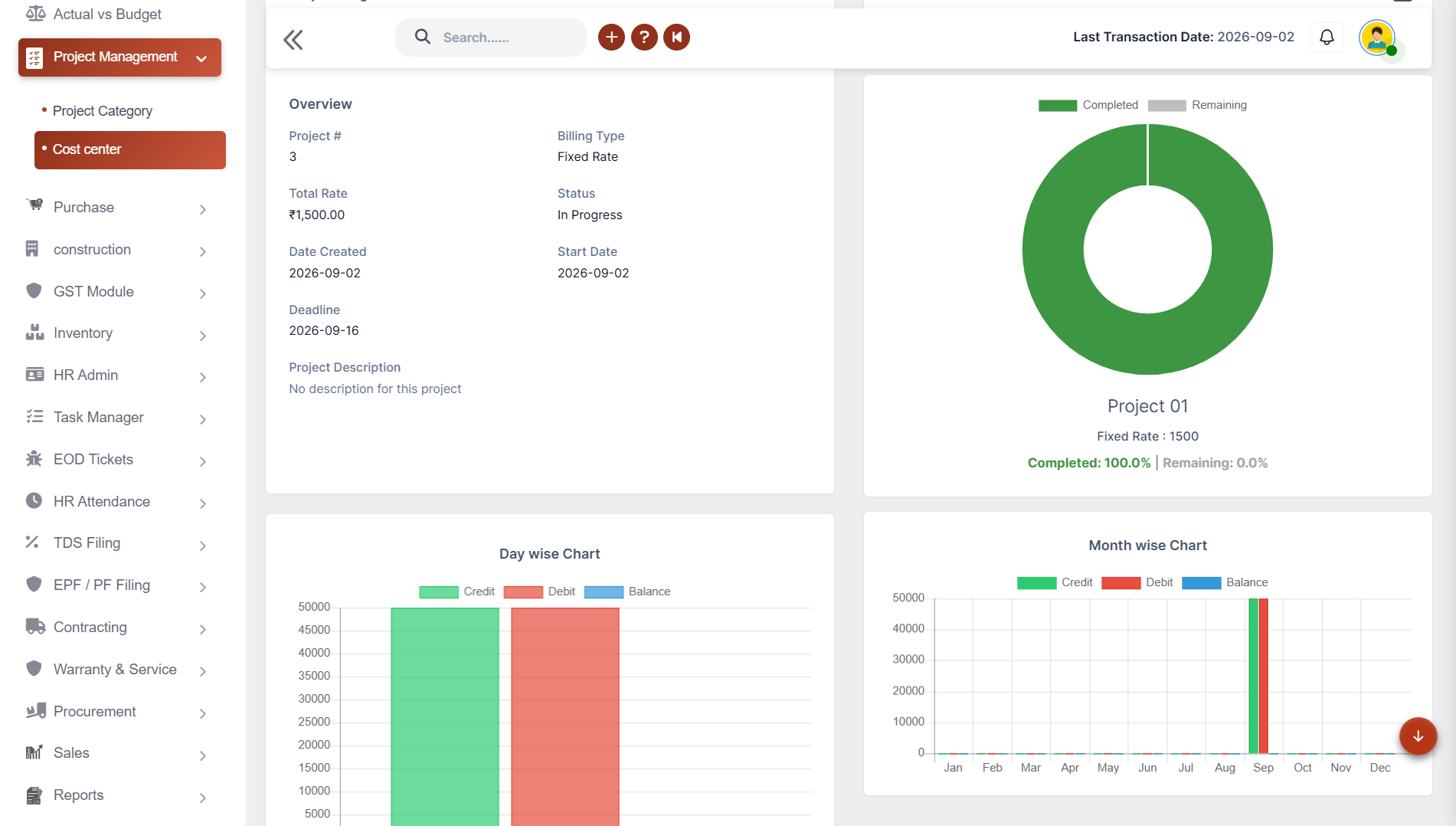
Project progress and proformance

Project Progress & Performance Tracking

Always know exactly where every project stands. Managers can identify bottlenecks early and take corrective action before delays in impact project delivery.

✔ View day-wise and month-wise project dashboards
✔ Track project completion percentage
✔ Monitor overdue and remaining project days
✔ Analyze project progress visually
✔ View project statistics

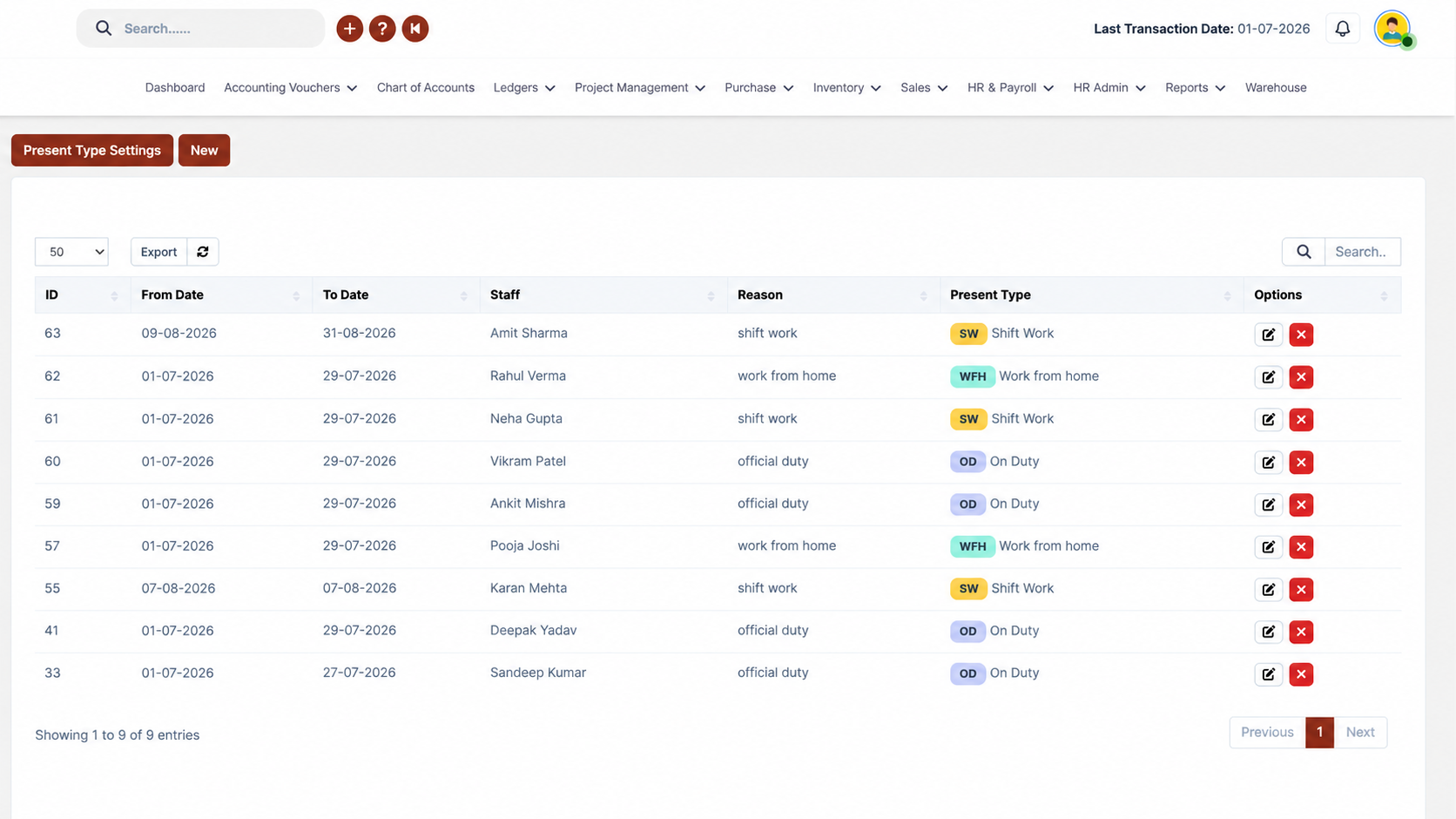
Attendance & Resource Management

Maximize every team member's contribution by ensuring the right people are always working on the right tasks at the right time.

✔ Track project-wise employee attendance
✔ Configure weekly offs and working hours
✔ Record overtime and leave details
✔ Maintain timesheet-based attendance
✔ Monitor workforce allocation
Attanence and resourse
Notification and Workflow automation

Notifications & Workflow Automation

Keep every team member informed with automatic notifications, to build a project culture where information flows freely and nothing falls through the cracks.

✔ Send project notifications via Email and WhatsApp
✔ Notify assigned members instantly
✔ Send deadline reminders automatically
✔ Inform team members about project updates
✔ Reduce communication delays
Project Management Software

Project Reports & Analytics

✔ Actual vs Budget Report
✔ Budget Variation Report
✔ Project Summary Report
✔ Gantt Chart View
✔ Kanban Board View
✔ Timesheet Statistics
✔ Attendance Report
✔ Project Status Report
✔ Resource Utilization Report
✔ All Financial Reports
✔ Task Summary Report
✔ All Operational Reports

Benefits of Using Shadobooks Project Management Software

Improve Project Planning and Execution

Build structured project plans with clear timelines, assigned team members, and defined budgets from the very start.

Increase Team Collaboration and Productivity

With task assignments, checklists, file uploads, and instant notifications via email and WhatsApp, teams stay connected, aligned, and productive.

Track Budgets and Project Costs Accurately

Link project budgets to accounting ledgers, record variations, and compare original versus revised budgets.

Complete Projects on Time

Automated reminders for pending, overdue, and upcoming tasks ensure that deadlines are never missed and projects stay on schedule from start to finish.

Improve Team Productivity

Monitor employee attendance, timesheets, and resource utilization to allocate work efficiently and maximize team performance.

Make Better Business Decisions

Day-wise and month-wise dashboards, Gantt charts, Kanban boards, and project report reports help you make strategic decisions at every stage of the project.

Shadobooks Apps - Download Free from Google Play

Invoice Scanner
Task Manager
Shadobooks WorkTrack
Shadobooks AI
Shadobooks
Shadobooks ERP
Shado Expense Tracker
Shado Browser
Attendance Tracker
Shadobooks Apps

How to get Started with Shadobooks ERP Solutions

1

Create your
company

Sign up with your email address and create your Shadobooks account securely.

2

Verify your
email

Confirm your email address to activate your account to ensure secure access.

3

Create your
company

Set up your company profile, business details, logo, and personalized subdomain.

4

Configure
essentials

Configure business-specific settings to match your operational requirements.

5

Explore reports and insights

View your accounting, financial, operational, and Tax reports in one place.

6

Get instant
support

Our support team is available 24/7 to assist you whenever you need help.

Frequently Asked Questions

Absolutely. Shadobooks is built to manage multiple projects at the same time without any confusion. Project categories allow businesses to organise projects by region, department, or business type, making it easy to filter and navigate between active projects. Each project has its own dedicated dashboard showing progress, tasks, budgets, and team assignments independently.

Task management in Shadobooks lets users create tasks with priority levels, hourly rates, repeat schedules, and checklists. Tasks can be assigned to specific project members, and supporting documents can be uploaded directly. Automated reminders are sent for pending, overdue, and completed tasks via email and WhatsApp - keeping the entire team accountable and on track.

Budget management in Shadobooks allows project managers to create budgets by importing Excel files and linking them directly to accounting ledgers within the Shadobooks ERP system. Budget periods are defined with start and end dates, and any changes are recorded as budget variations. The system then allows side-by-side comparison of original and revised budgets, giving complete financial transparency throughout the project lifecycle.

Yes. Shadobooks provides both Gantt Chart View and Kanban Board View as part of its reporting and project management features. Gantt charts display project tasks mapped across timelines with progress indicators, while Kanban boards offer a visual, drag-and-drop task management experience with columns for different task stages. Both views are available for download in Excel or PDF format and can also be printed.

Shadobooks tracks employee attendance on a project-wise basis, allowing businesses to configure weekly offs, set working hours, and record overtime and leave details for each team member. Timesheet-based attendance ensures accurate records, and the system generates attendance and resource utilisation reports that help managers understand workforce performance and identify capacity issues across projects.

Shadobooks supports automated project notifications via both Email and WhatsApp. Team members receive instant alerts when tasks are assigned to them, and automatic reminders are sent before deadlines arrive. Project updates, status changes, and workflow events also trigger notifications - reducing communication delays and keeping every team member informed without manual follow-up.

Yes. Shadobooks Project Management Software is designed to scale with businesses of all sizes. Small businesses benefit from its simple, intuitive interface and affordable ERP integration, while medium-sized enterprises appreciate the depth of features like budget variation tracking, resource utilisation reports, and multi-project dashboards. The software grows alongside the business without requiring complex IT infrastructure.

Getting started is simple. Businesses can either Book a Free Demo to see the full platform in action before making any decisions, or Start a Free Trial to explore the software hands-on. The Shadobooks team provides full onboarding support, so even businesses new to project management software can get up and running quickly without technical expertise.

Decoration

Shadobooks ERP Solutions

The Financial Shadow of your Company

Why Businesses Trust Shadobooks Project
Management Software

Ready to Simplify Your Business? Try it today!

Shadobooks

FTA Approved

Shadobooks

ISO 27001 Certified

Shadobooks

GRA Recognized

Shadobooks

Global Indian CEO Award

Shadobooks

24/7 Customer Support

Shadobooks

10M+ Invoices Generated

Get 30 Days Free Trial

Your information is safe and secure with us.