Never Miss a Lead Again.

Turn Inquiries into Opportunities with Shadobooks Lead Mangement system

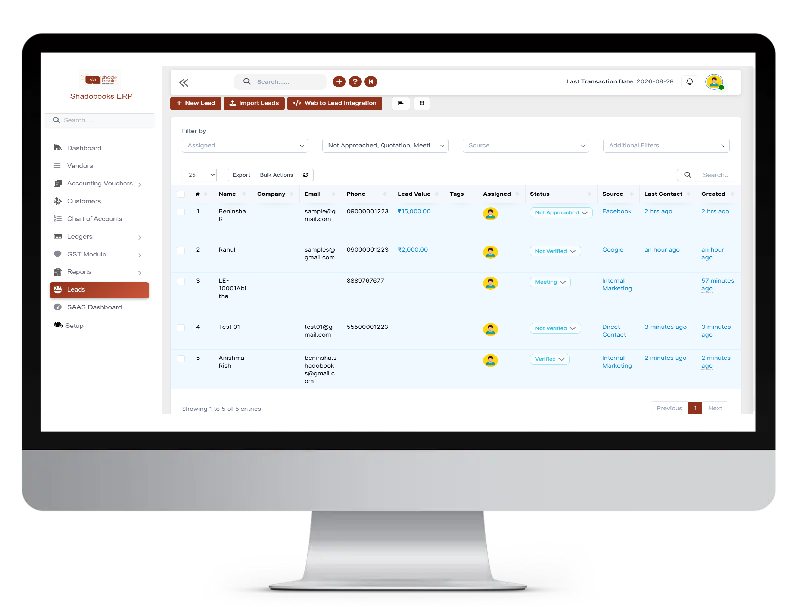
Shadobooks Lead Management Software puts every lead, every follow-up, and every sales opportunity in one organized, easy-to-navigate system. From the moment a new lead enters the pipeline, our software tracks, assigns, reminds, and reports - so nothing falls through the cracks.

Inventory Management
Multi-Currency

Manage global transactions effortlessly

Multi-User Access

Secure roles & permissions control

Cloud & Offline

Access your business anywhere

Smart Reports

Generate powerful financial insights

Lead Management Software

Key Features of Shadobooks Lead Management Software

multi-currency

Lead Creation

multi-user-management

Bulk Lead Import

custom-fields-management

Follow-Up

cloud-based-and-offline

Capture Forms

multi-platform

Multi-Channel

report-and-pdf-management

Kanban Sales

lead creation management

Lead Creation & Management

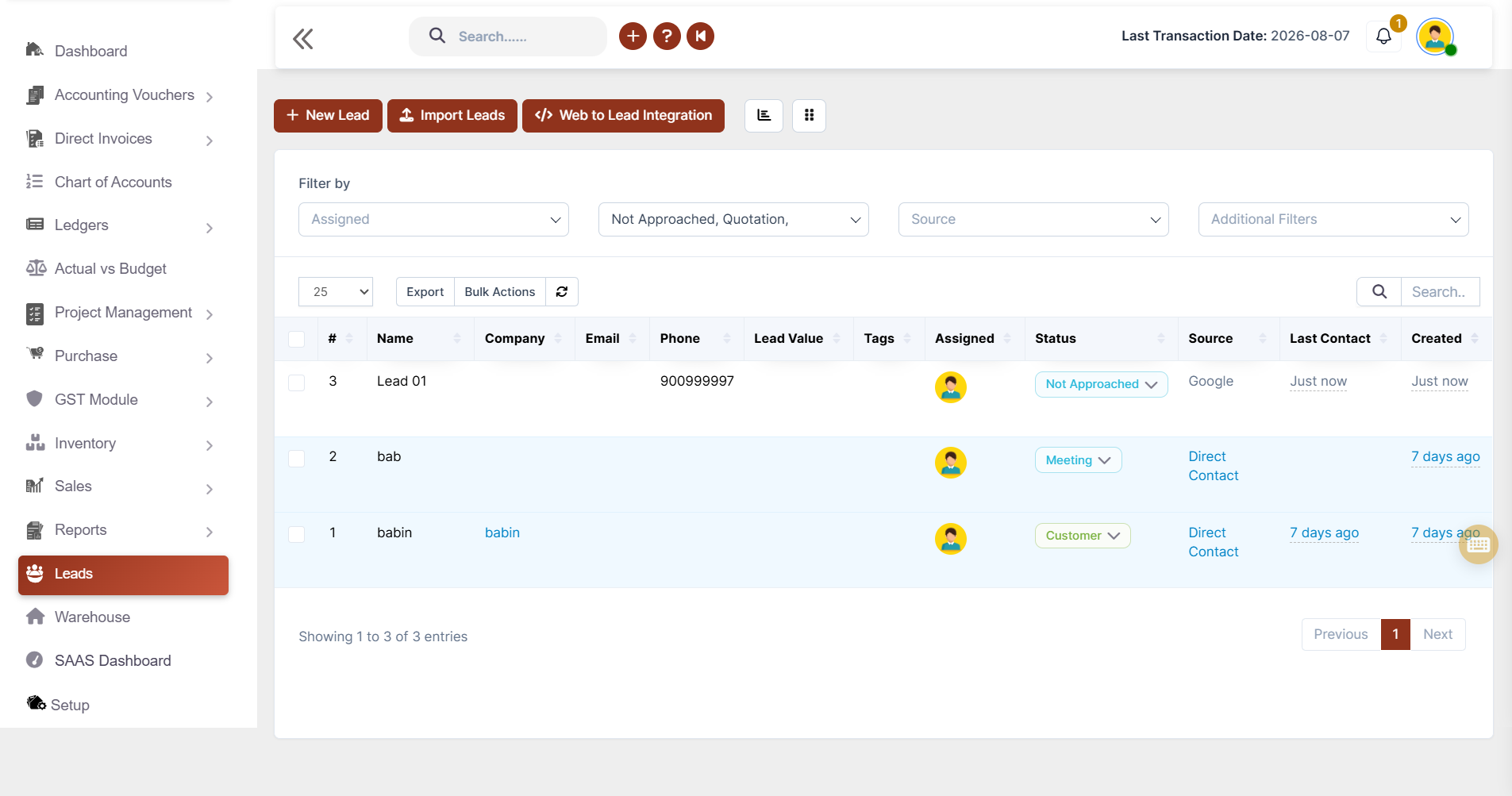
Create, organize, and manage every lead. Build a complete lead profile in seconds.

✔ Create detailed lead profiles
✔ Assign lead status, source, and owner
✔ Add notes and descriptions for better tracking
✔ Edit, view, print, or download lead records
✔ Keep all lead information organized in one place

Bulk Lead Import

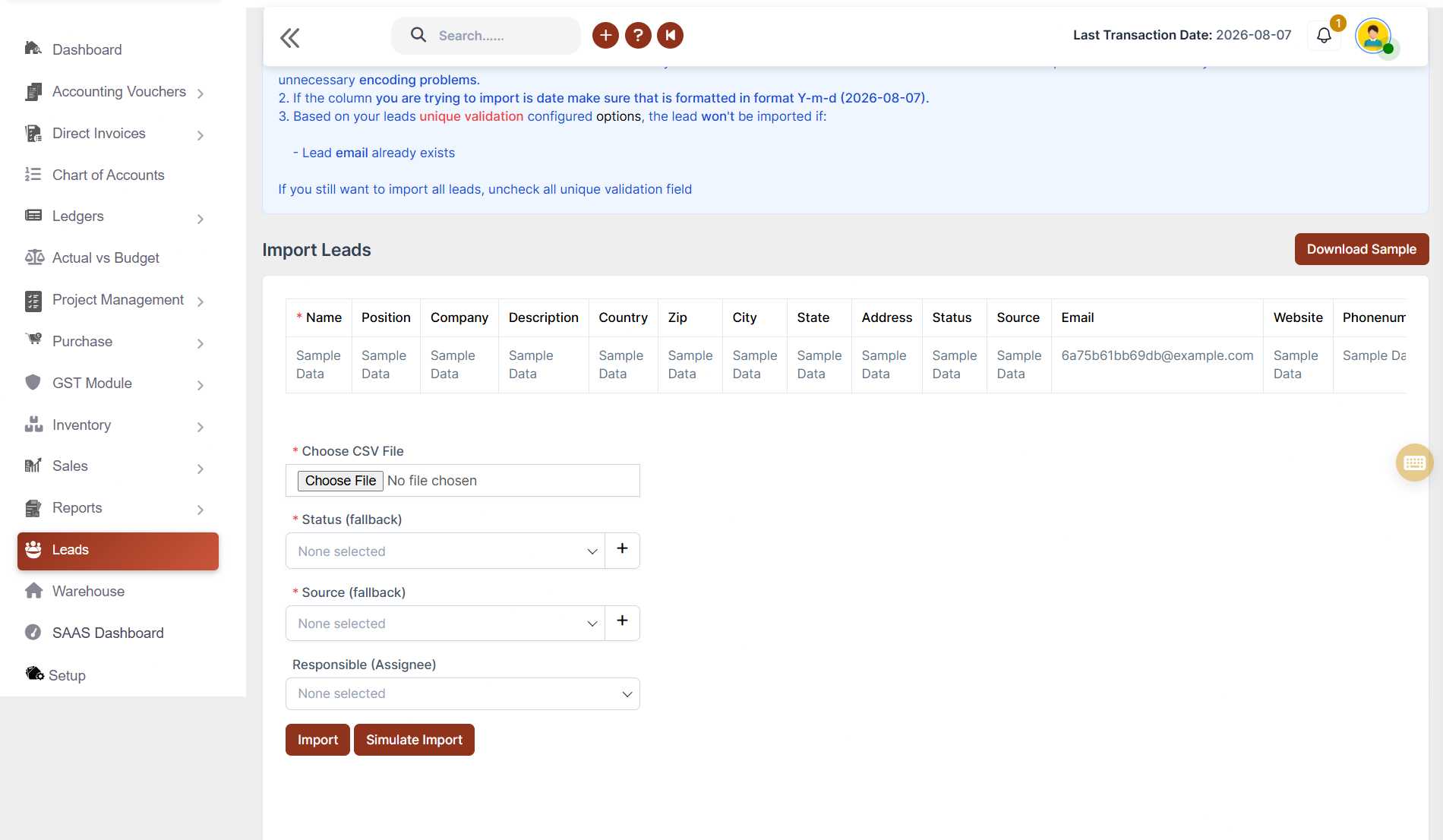
Upload hundreds of leads instantly to ensures the sales team can hit the ground running even with massive lead lists from campaigns.

✔ Import leads using Excel templates
✔ Upload leads in bulk with one click
✔ Assign lead source and status during import
✔ Allocate leads to sales representatives
✔ Start follow-ups immediately after import
bulk lead import
followup and reminder

Follow-Up & Reminder Management

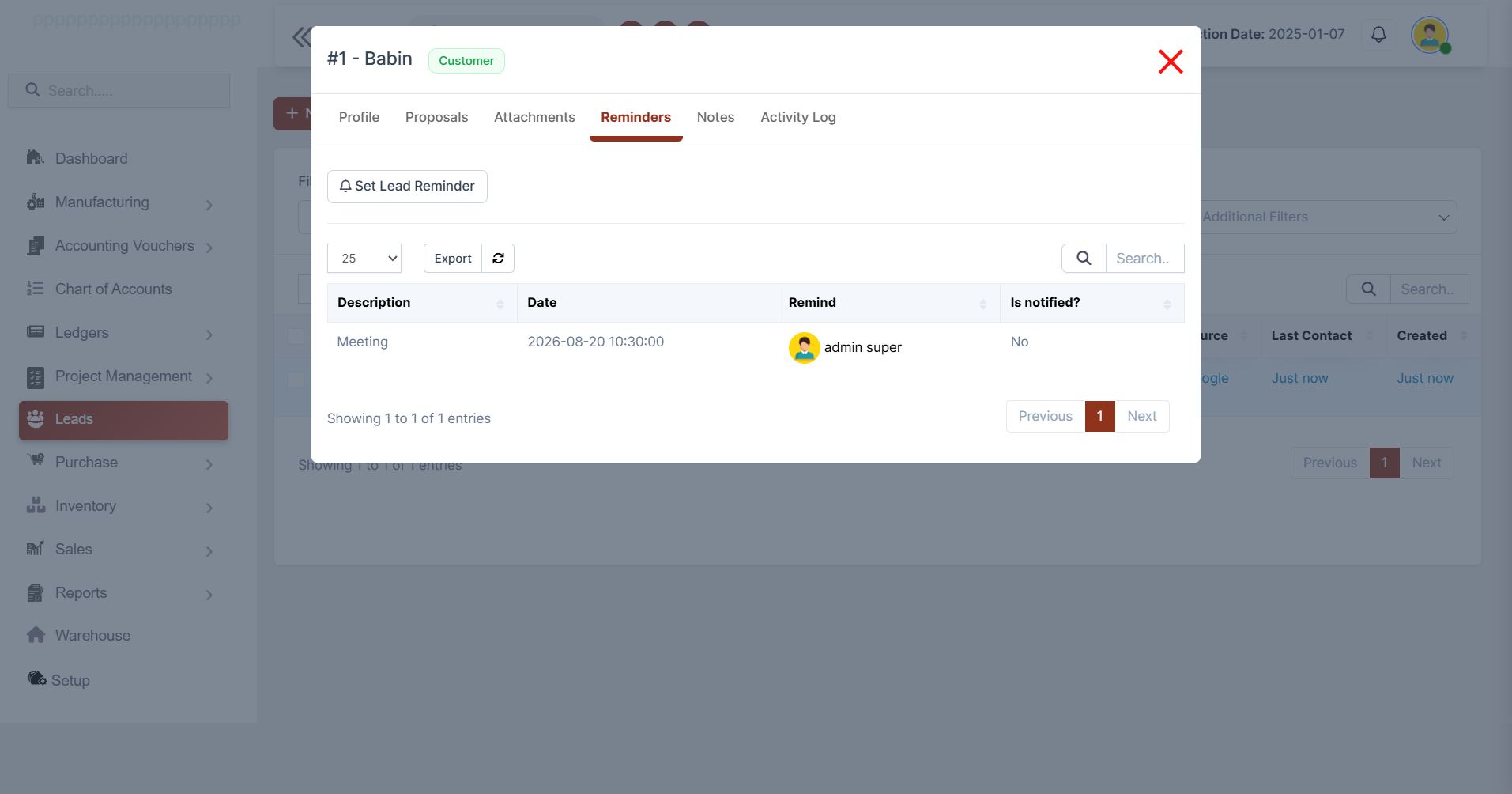
Never miss a follow-up again. Ensure every lead receives timely attention with automated reminders.

✔ Schedule follow-up reminders
✔ Assign reminders to team members
✔ Maintain detailed activity logs
✔ Add notes and attachments
✔ Track completed and pending follow-ups

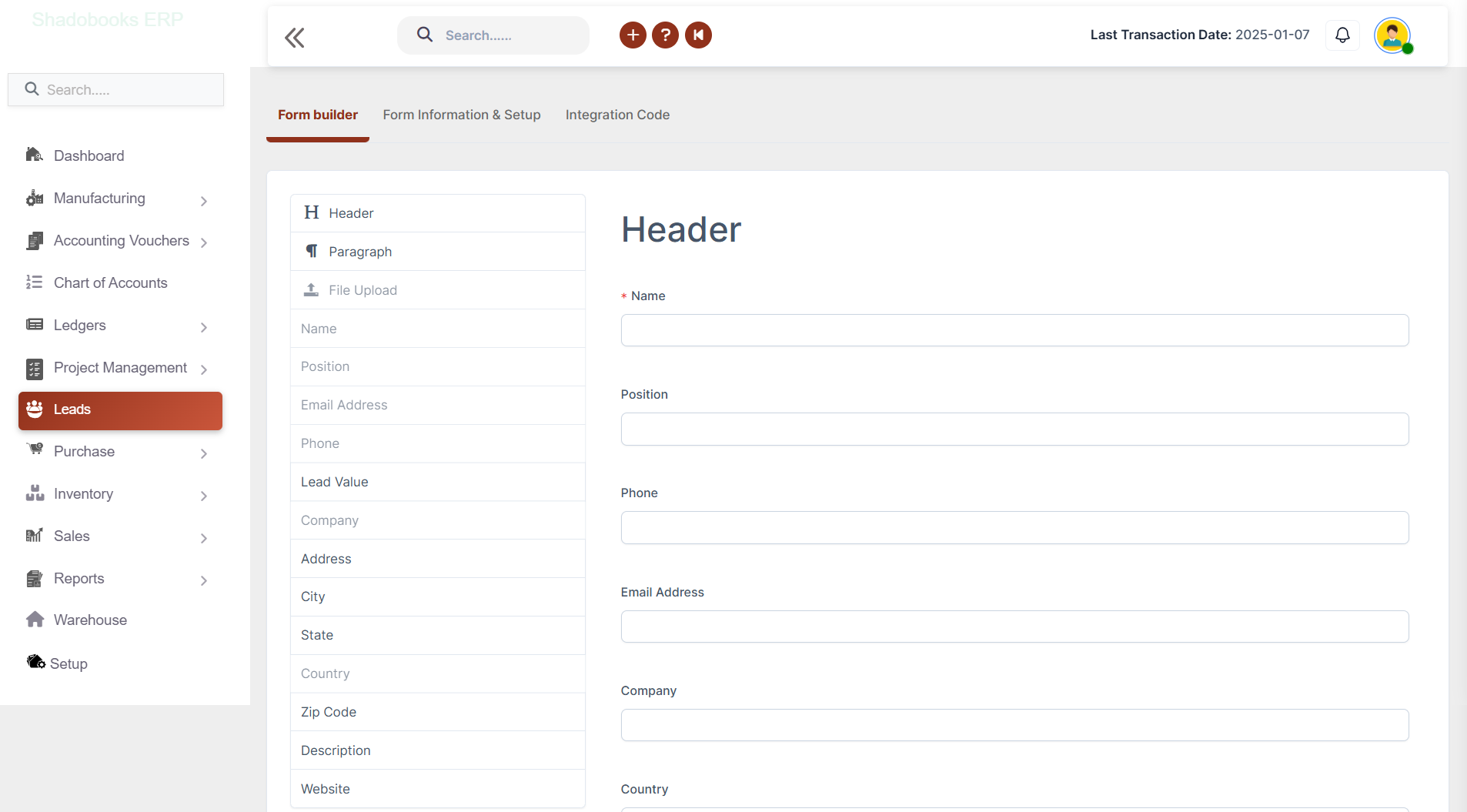
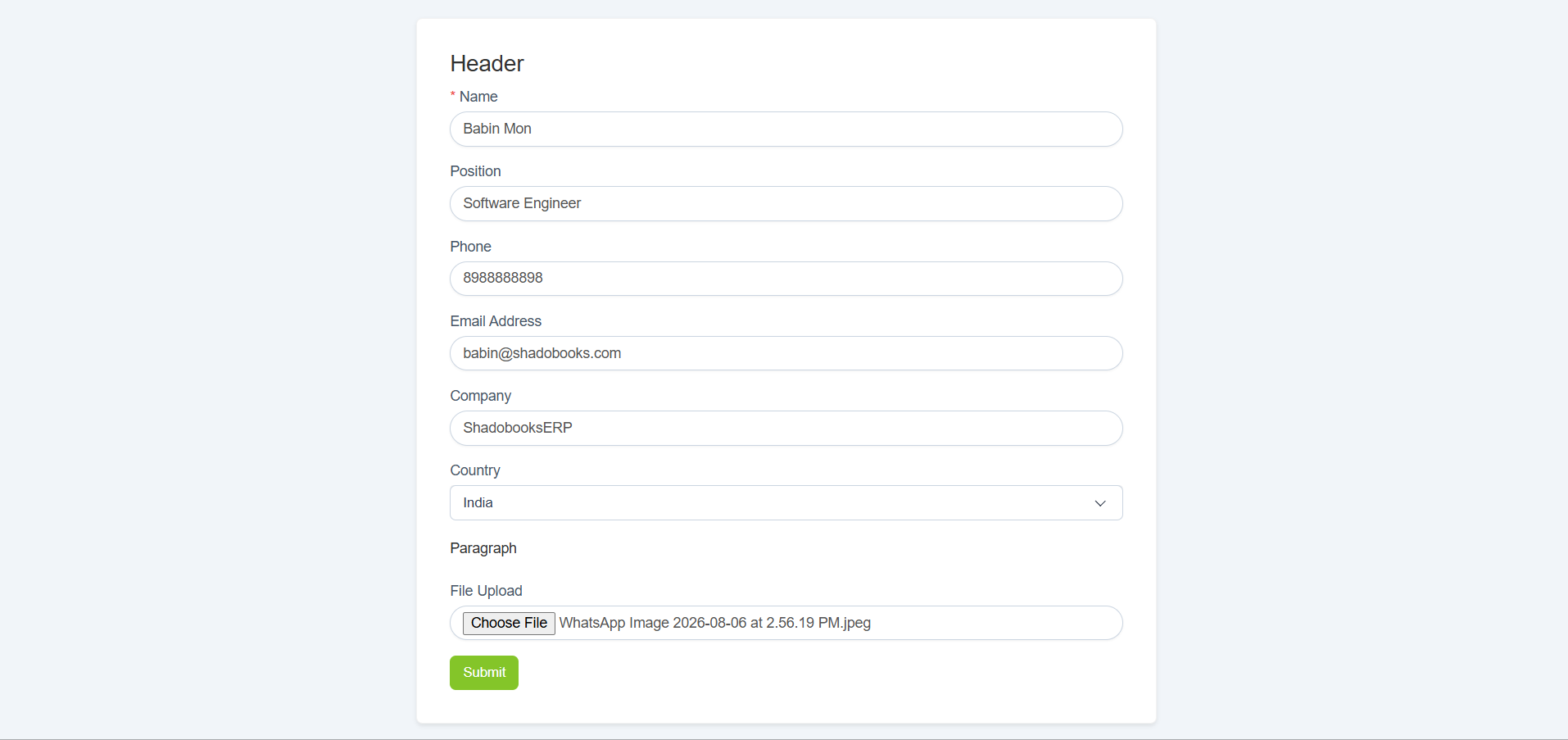
Lead Capture Forms

Building a lead capture form used to require a developer. Not anymore. Drag, drop, and publish in minutes.

✔ Drag-and-drop form builder
✔ Unlimited custom form fields
✔ Customize branding and colors
✔ Configure thank-you pages or redirects
✔ Publish forms within minutes
lead capture forms
multi-channel lead collection

Multi-Channel Lead Collection

Reach leads everywhere they are. More reach means more leads, and more leads means more revenue.

✔ Website lead forms
✔ Landing page integration
✔ WhatsApp lead capture
✔ Social media integration
✔ Branded and non-branded forms

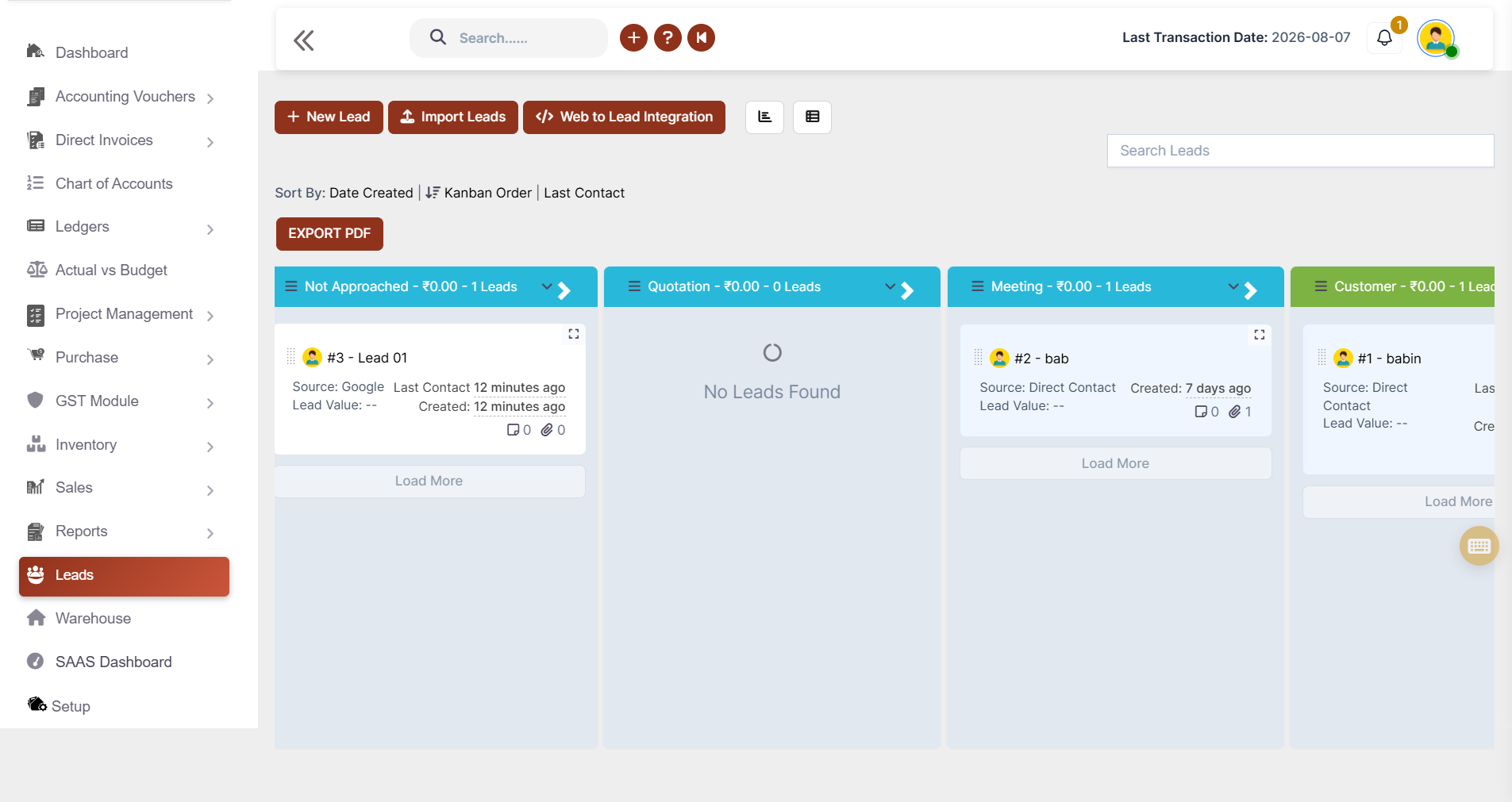
Kanban Sales Pipeline

Numbers in a table only tell part of the story. Visualize the entire sales pipeline at a glance.

✔ Drag-and-drop lead stages
✔ Color-coded sales pipeline
✔ View lead status instantly
✔ Access notes and attachments
✔ Improve sales collaboration
kanban sales pipeline
Lead Management Software

Complete Sales Intelligence at Every Level

✔ Leads Summary Report
✔ Lost Leads Report
✔ Junk Leads Report
✔ Deleted Leads Report
✔ Source Conversion Report
✔ Weekly Conversion Report
✔ Monthly & Yearly Leads Report
✔ Month & Year Comparison Report
✔ Staff Conversion Report

Benefits of Using Shadobooks Lead Management Software

Convert More Leads Into Customers

Manage every sales opportunity efficiently and improve conversion rates.

Never Miss a Follow-Up

Automated reminders ensure every prospect receives timely follow-ups.

Organize All Leads in One Place

Centralize leads from websites, social media, and WhatsApp into one unified CRM.

Gain Complete Sales Pipeline Visibility

Track every lead stage with an interactive Kanban board.

Generate More Qualified Leads

Capture leads from multiple channels using customizable forms.

Measure Sales Performance with Confidence

Assign, monitor, and keep every team member aligned throughout the sales process.

Shadobooks Apps - Download Free from Google Play

Invoice Scanner
Task Manager
Shadobooks WorkTrack
Shadobooks AI
Shadobooks
Shadobooks ERP
Shado Expense Tracker
Shado Browser
Attendance Tracker
Shadobooks Apps

How to get Started with Shadobooks ERP Solutions

1

Create your
company

Sign up with your email address and create your Shadobooks account securely.

2

Verify your
email

Confirm your email address to activate your account to ensure secure access.

3

Create your
company

Set up your company profile, business details, logo, and personalized subdomain.

4

Configure
essentials

Configure business-specific settings to match your operational requirements.

5

Explore reports and insights

View your accounting, financial, operational, and Tax reports in one place.

6

Get instant
support

Our support team is available 24/7 to assist you whenever you need help.

Frequently Asked Questions

Absolutely. The bulk import feature allows downloading a pre-formatted sample file, populating it with lead data, and uploading it directly into the system. All imported leads are instantly available in the leads page, assigned to the correct team member, and ready for follow-up.

The reminder system allows setting a specific date and time for a follow-up, writing a description of the follow-up purpose, assigning it to the right team member, and even attaching relevant documents. The system logs every follow-up activity automatically — recording when it happened, who performed it, and whether it was manual or automated.

Not at all. The form builder uses a simple drag-and-drop interface. Fields can be added, rearranged, and customized without writing a single line of code. The form also supports full branding customization, multilingual settings, and post-submission behavior like thank-you messages or redirect URLs.

Yes. After a form is created and verified, the platform generates three integration codes — one for websites and landing pages, one for social media without a logo, and one for social media with a branded logo. These codes work across all major platforms including WhatsApp, Facebook, and Instagram.

Kanban Mode is a visual pipeline view that displays all leads as cards organized by their current status. It allows dragging and dropping leads between stages, color-coding statuses for quick identification, and accessing notes and attachments directly from each card — making pipeline management intuitive and visual.

Yes. When creating a new lead or importing leads in bulk, a specific team member can be assigned as the responsible person. Similarly, forms can be configured to automatically assign incoming leads to a designated team member, ensuring accountability from the very first touchpoint.

By automating activity logging, follow-up reminders, lead assignment, and form submissions, the platform eliminates most repetitive manual tasks. The bulk import feature alone saves hours of data entry, while automated reports replace the need for manual spreadsheet tracking.

Yes, absolutely. The platform is designed to scale with any business, from early-stage startups to large enterprises. Its intuitive interface, affordable structure, and powerful features make it just as effective for a five-person sales team as it is for a fifty-person organization.

Decoration

Shadobooks ERP Solutions

The Financial Shadow of your Company

Why Businesses Trust Shadobooks Lead
Management Software

Ready to Simplify Your Business? Try it today!

Shadobooks

FTA Approved

Shadobooks

ISO 27001 Certified

Shadobooks

GRA Recognized

Shadobooks

Global Indian CEO Award

Shadobooks

24/7 Customer Support

Shadobooks

10M+ Invoices Generated

Get 30 Days Free Trial

Your information is safe and secure with us.